Next sitting
days
- Length
- Questions
- Calculator
- Counts for
- Results
What’s on it

Homework help, exam prep and a step-by-step tutor for students, parents and teachers, Grades 1 to 12, in your province.


Exams 2026–27
The full picture before the day, whether you’re writing it, helping with it or teaching it.
Next sitting
days
What’s on it
The app
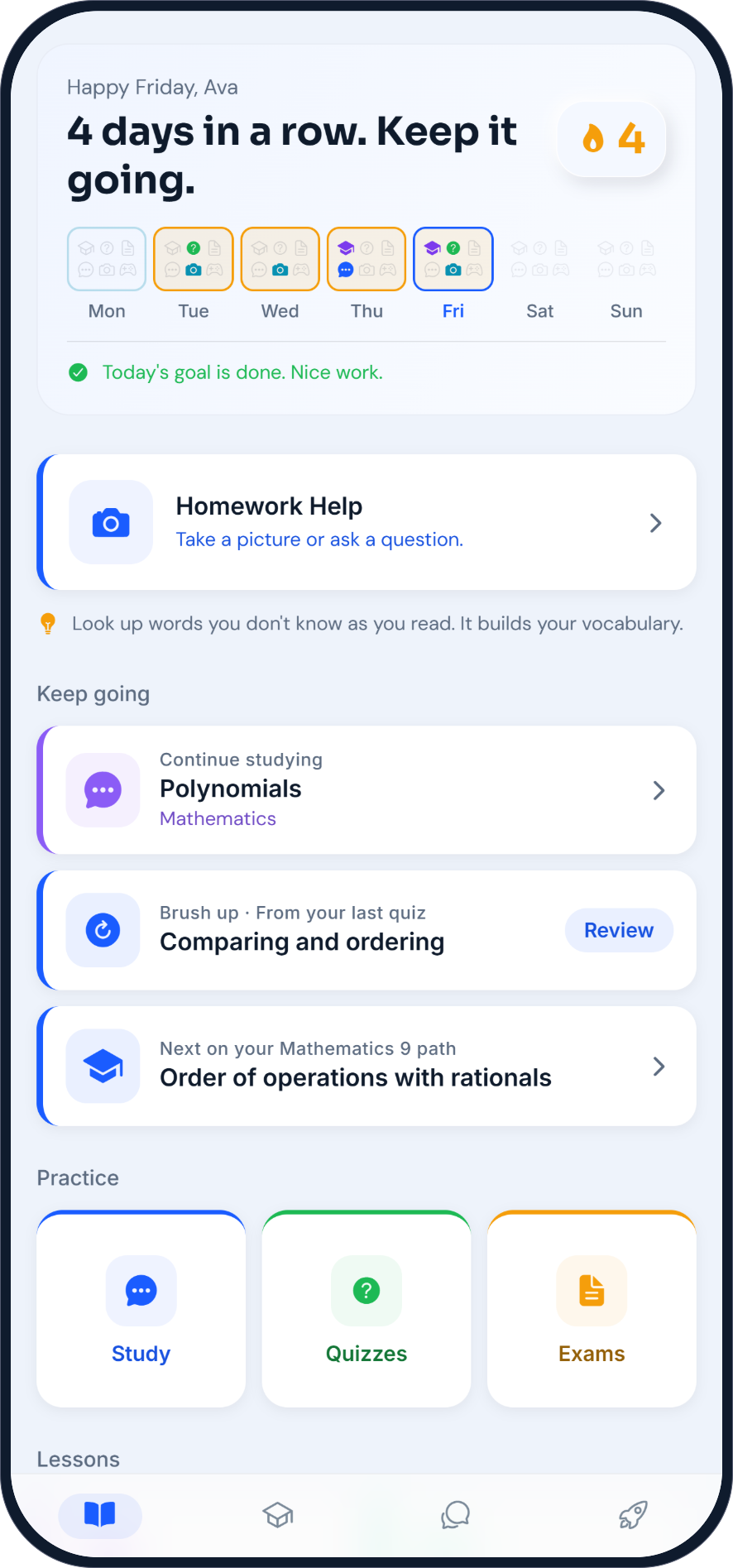
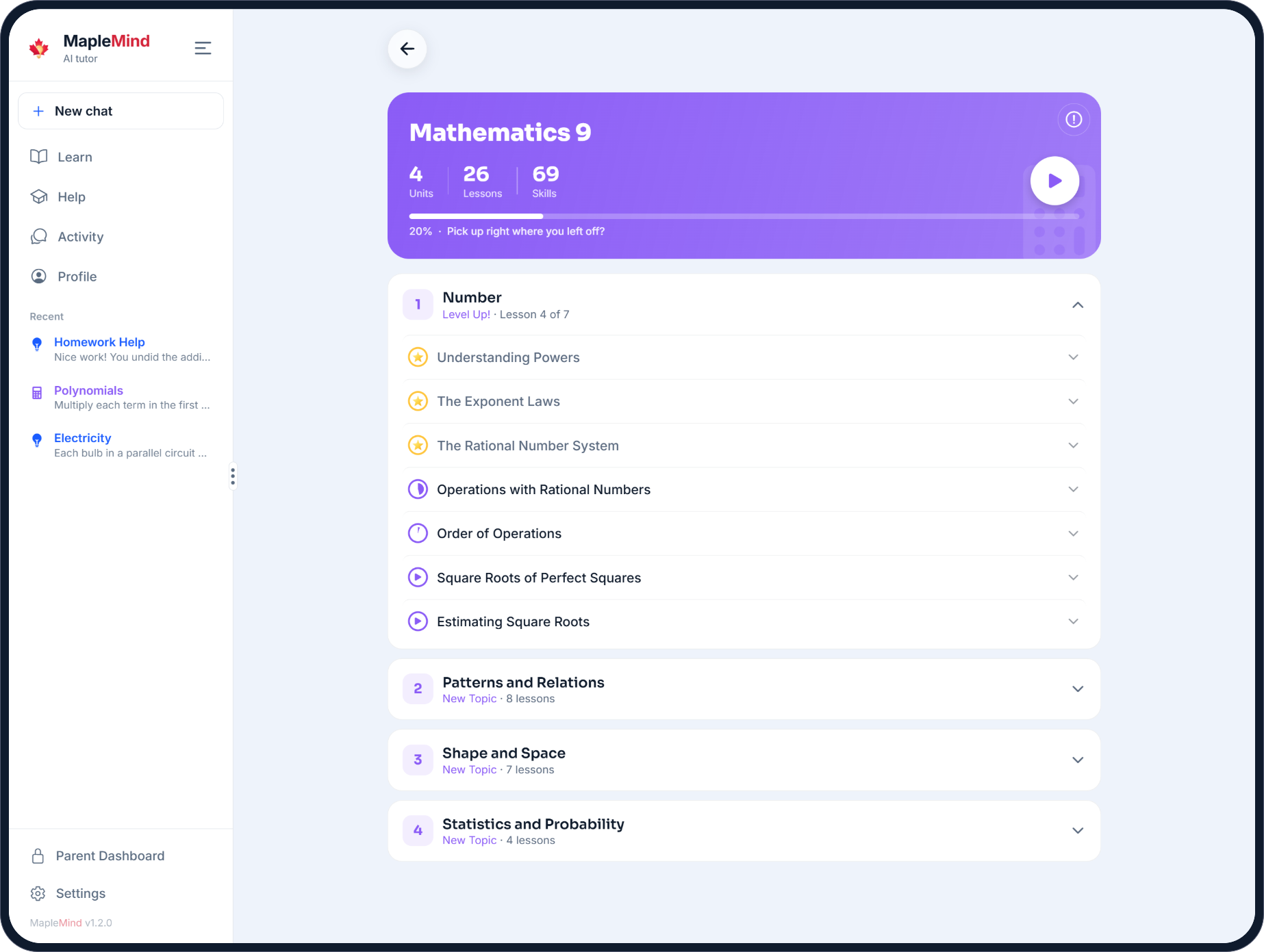
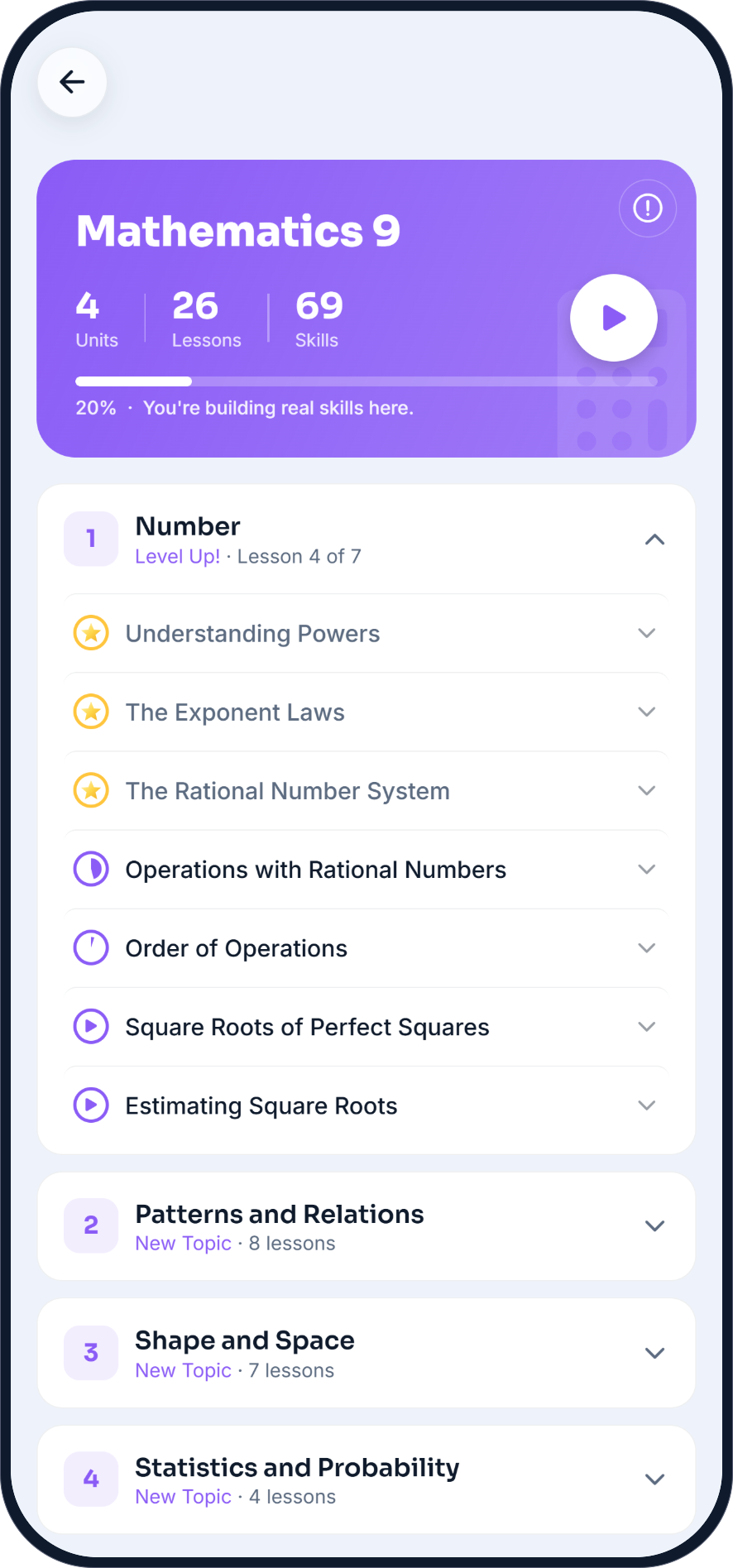
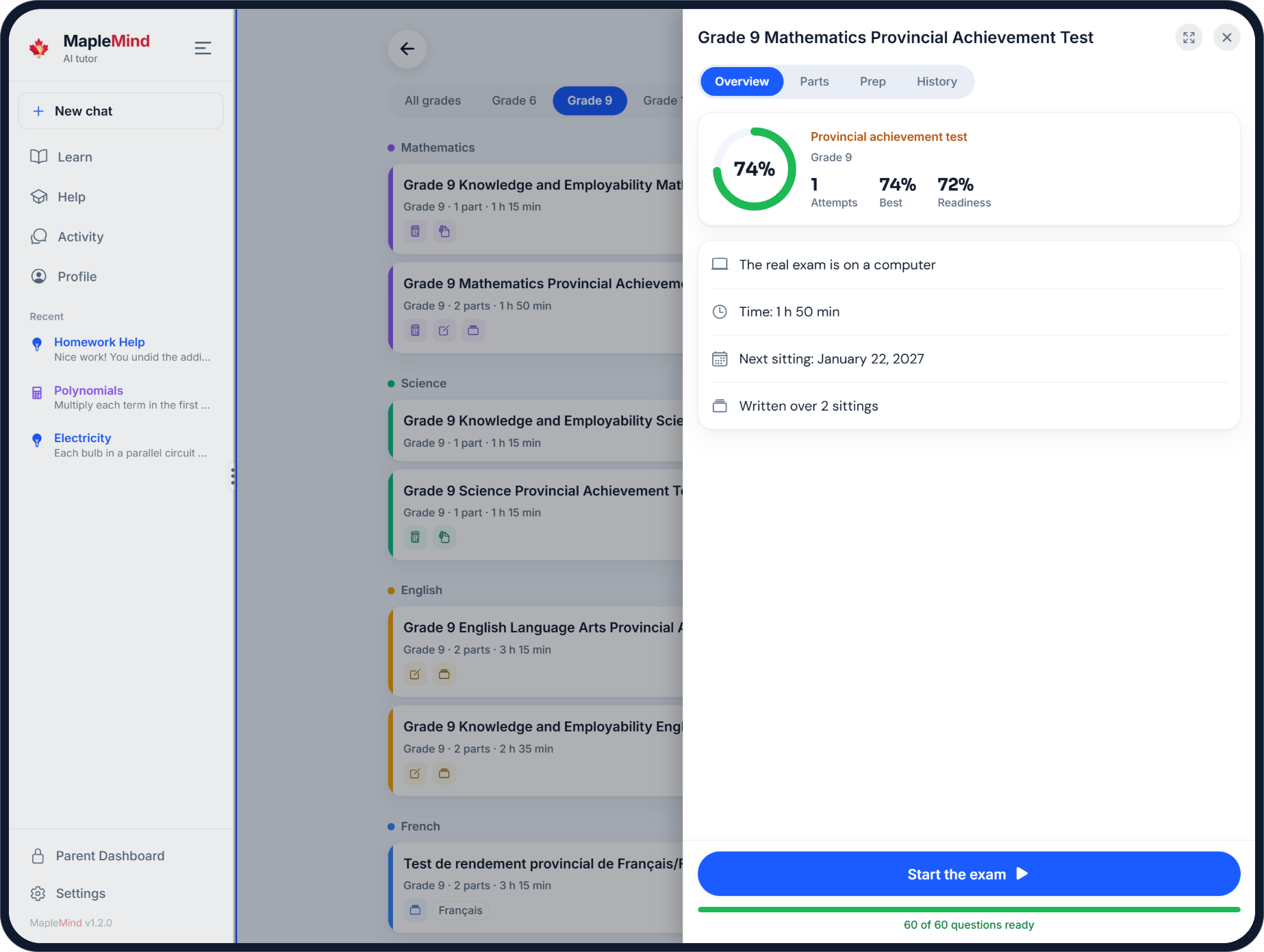
Real screens, not mock-ups.
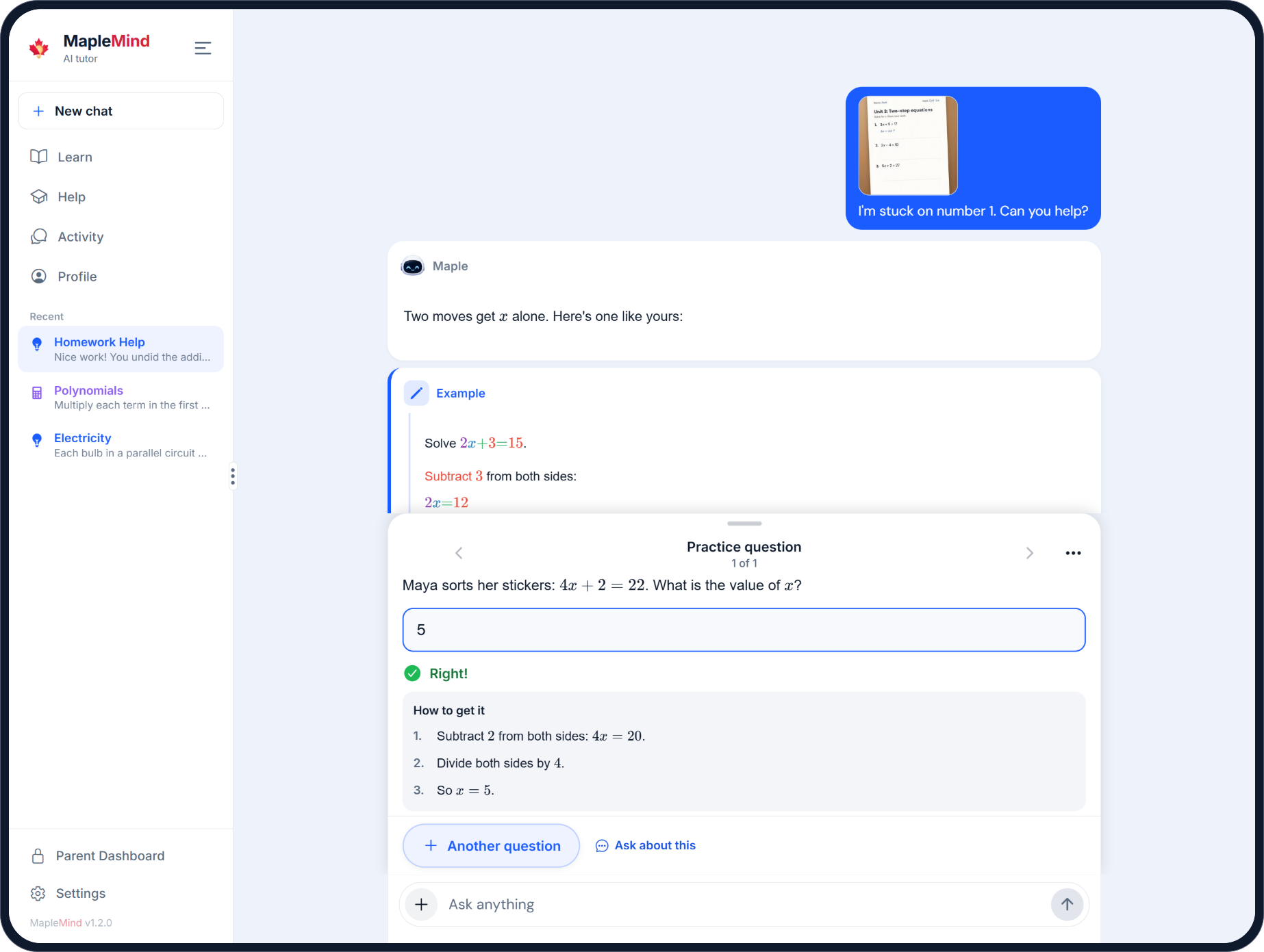
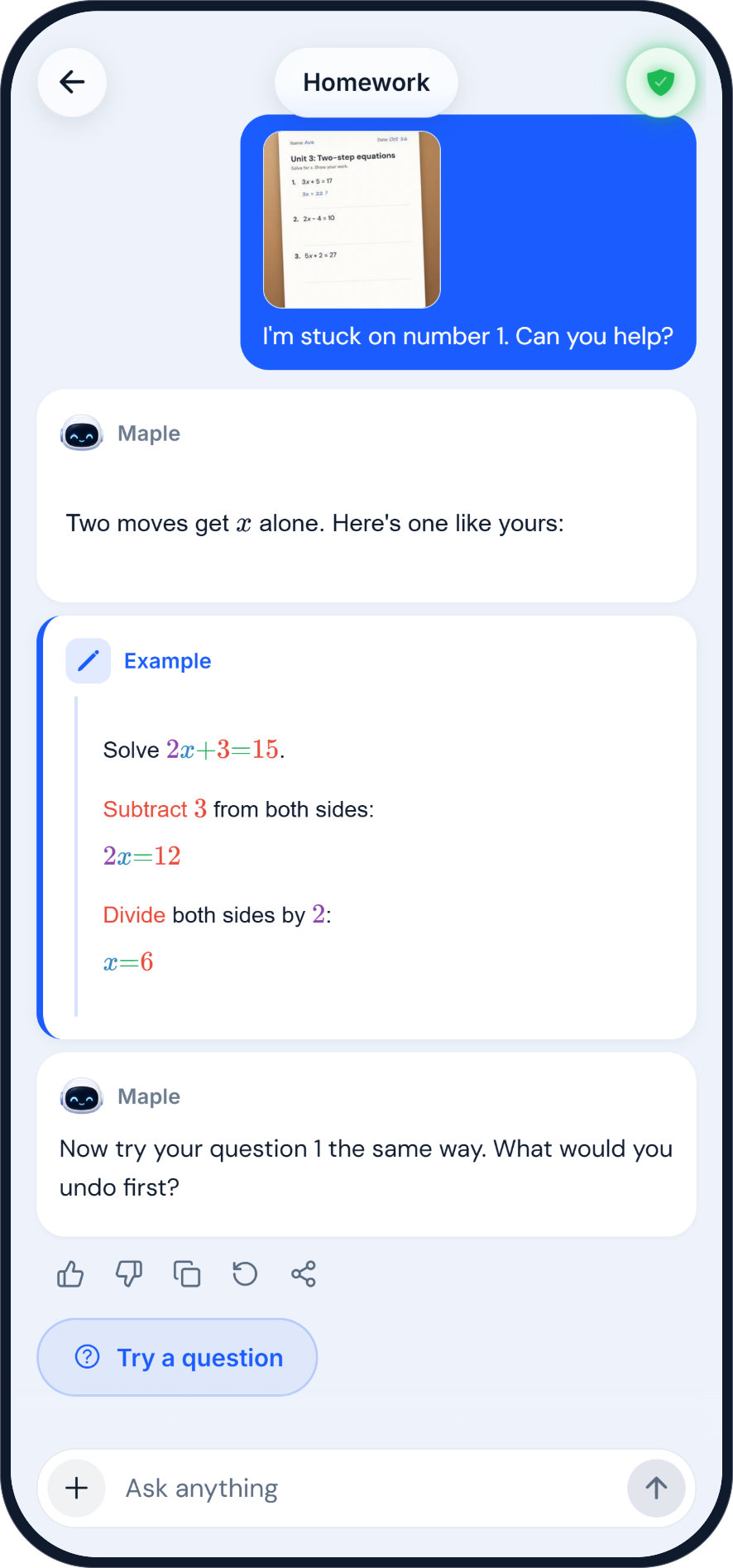
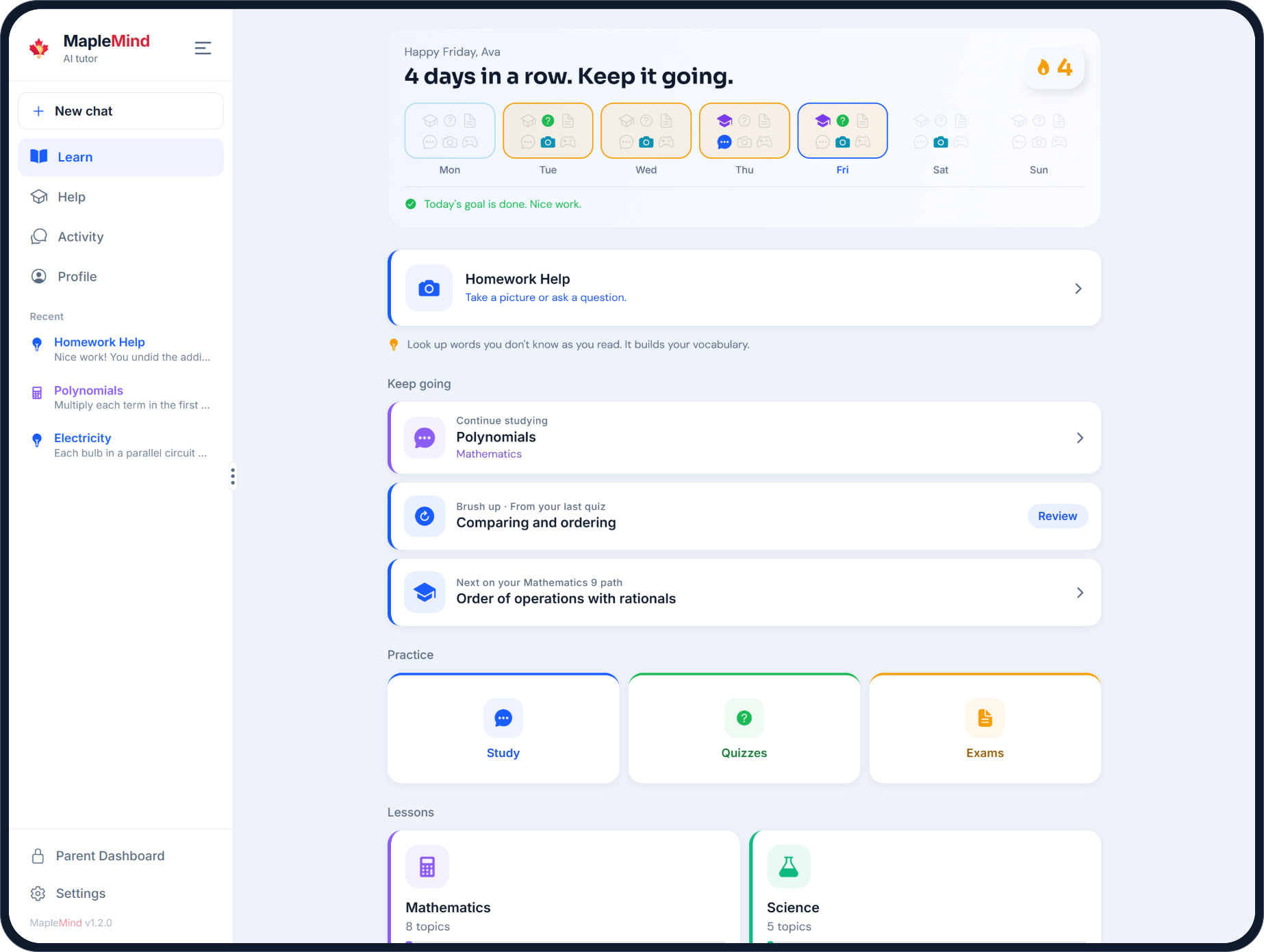
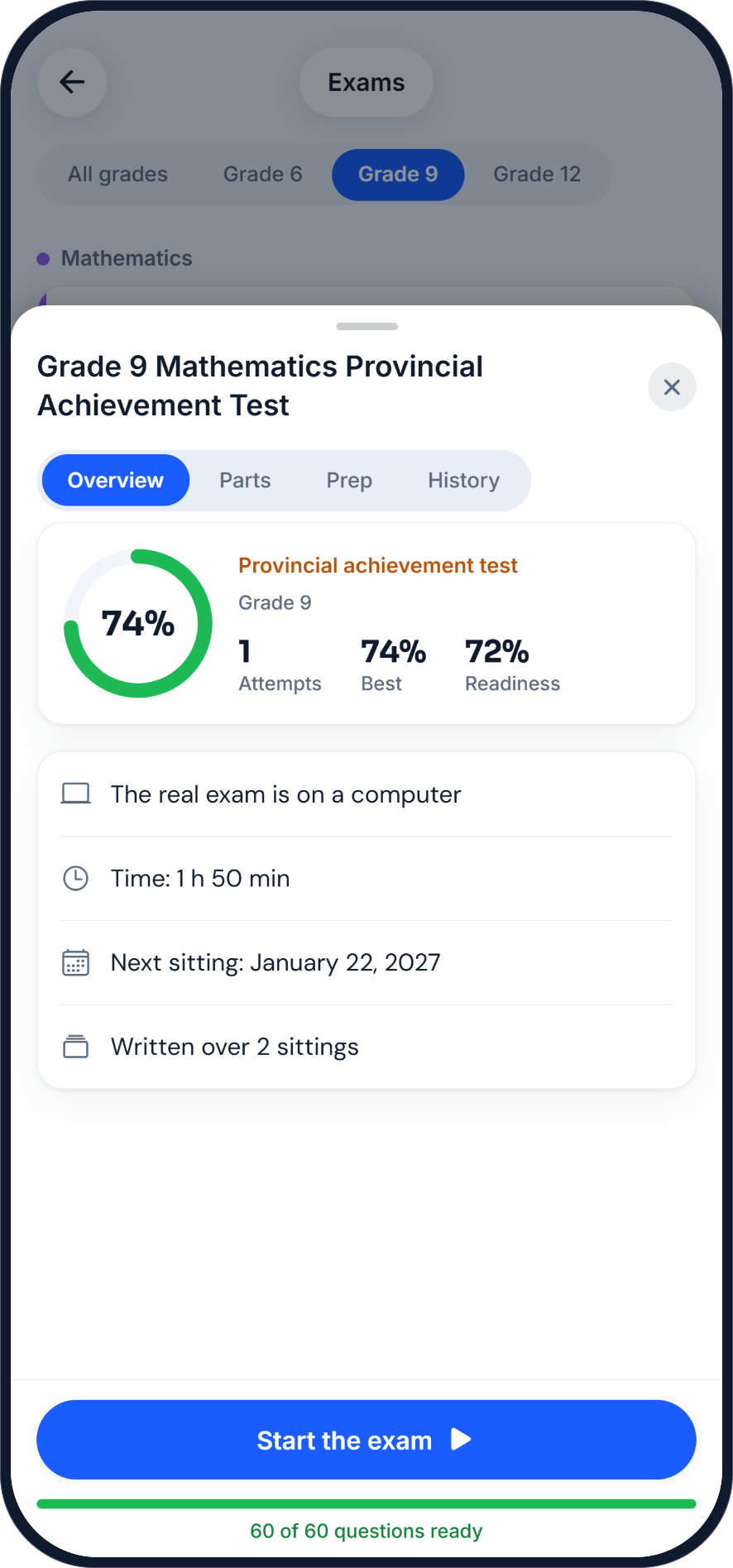
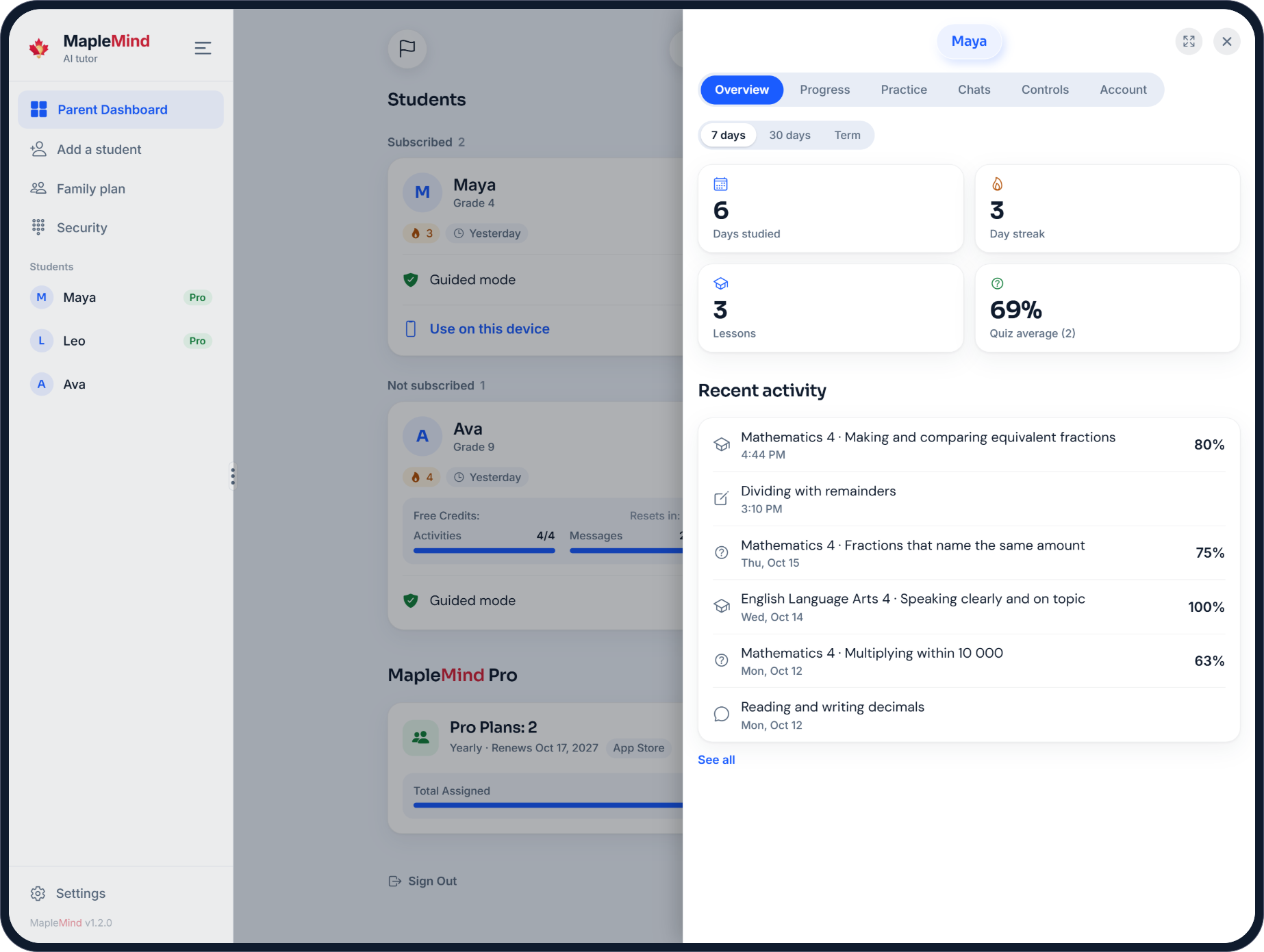
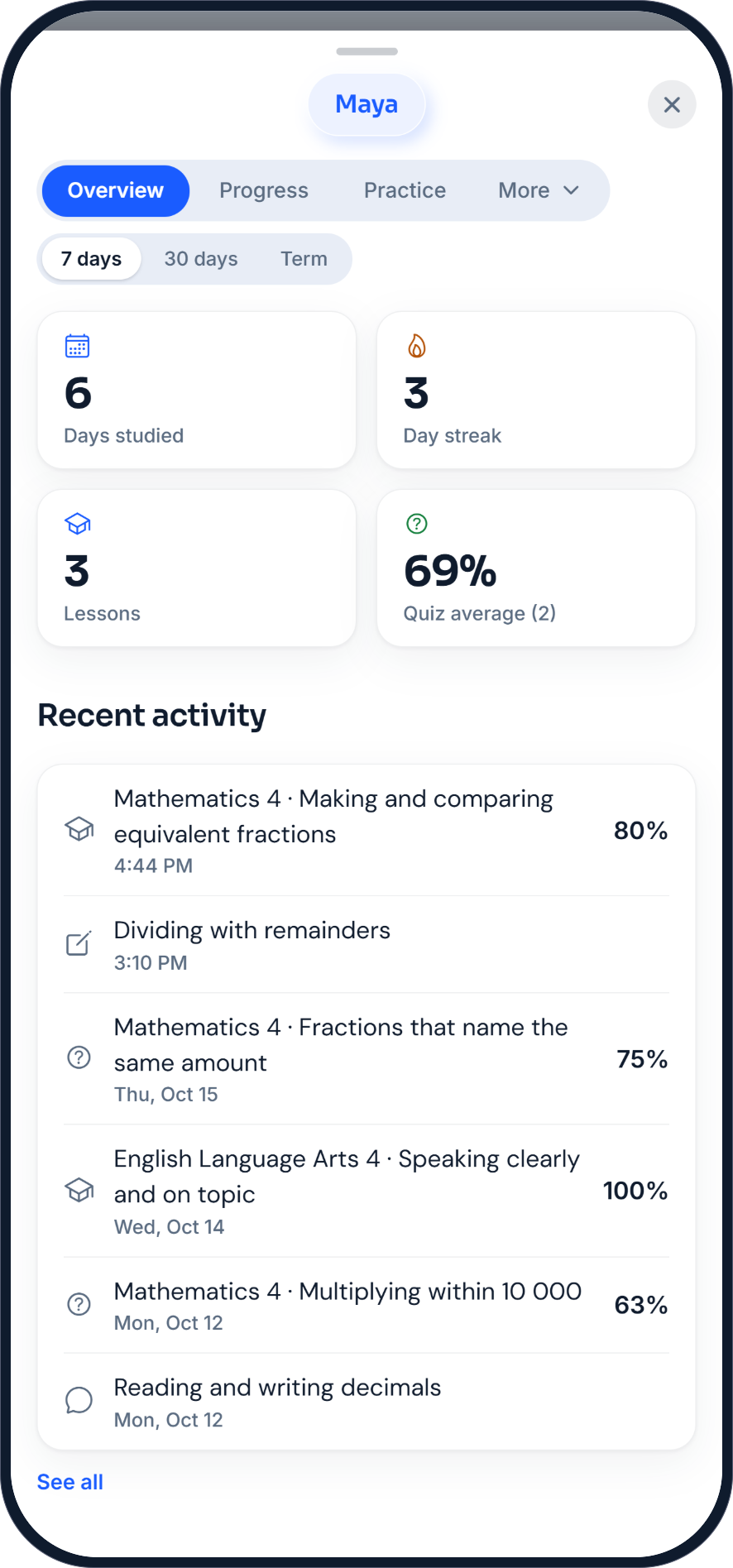
Five questions will tell.
Math, question 1 of 5
What is 15% of 240?

Number Blitz
It starts easy. It doesn’t stay that way.
Free, no account needed
MapleMind is an AI tutor for Canadian students from Grade 1 to Grade 12. It follows each province’s own courses in math, science, English, French and social studies. It helps with homework one step at a time, teaches short lessons, and gives practice quizzes and provincial exam prep. It works on iPhone, iPad, Android and in any web browser.
Yes. MapleMind is made in Edmonton for Canadian students, Grade 1 to Grade 12, and it follows each province’s own courses rather than an American curriculum. It’s on iPhone, Android and the web. A child under 13 (14 in Quebec) needs a parent’s consent before the tutor talks with them.
You can look around without one, but the tutor, lessons, quizzes and exams need a free account. It keeps your work, your progress and your privacy settings together, on every device you use.
iPhone and iPad from the App Store, Android phones and tablets from Google Play, and any web browser at app.trymaplemind.ca. One account works on all of them, so you can start on a phone and carry on at a computer.
On the Learn tab, tap the next lesson it suggests, or open your course and choose any lesson in it. Each lesson teaches one skill in short steps and ends with a quick skill check, so you know it stuck.
Open Settings and change them there. Your courses follow your province and grade, and both the app’s screens and the tutor’s answers switch to the language you choose.
On the sign-in screen, tap “Forgot password?” and enter your email. We’ll send you a code to set a new password. If you signed up with Google or Apple, sign in with that instead: there’s no password to reset.
In the app, go to Settings, then Privacy and data, then Delete account. Your data is removed within 30 days. You can also download a copy first from the same page, with Export my data.
MapleMind Technologies Inc., a Canadian company in Edmonton, Alberta. We build MapleMind for Canadian students, course by course, from each province’s own curriculum.
Not by default. Guided mode, on from the start, teaches the idea and works through a similar example, then lets the student solve their own question. A student on their own account can turn it off in Settings. On an account a parent holds, only the parent can turn it off, or let the student choose.
Math, science, English, French and social studies, from Grade 1 to Grade 12, in each province’s own courses. English as an additional language and French as a second language are there too, where the province teaches them.
All 10 provinces, from Grade 1 to Grade 12 (Secondary 5 in Quebec), with each province’s own courses: 765 in all. Yukon and the Northwest Territories follow British Columbia’s curriculum and Nunavut builds on Alberta’s, so students there use those provinces’ courses.
Each course is built from the province’s official curriculum, outcome by outcome, so lessons, practice and quizzes cover what the province sets for the course. Practice exams follow the real exams’ formats, from EQAO and the OSSLT to the FSA, Alberta’s achievement tests and diplomas, and Quebec’s ministry exams.
Yes. In Homework Help, take a photo, choose one from your device, or add a PDF of up to 20 pages. The tutor reads the question and your work and helps from there. Before a photo is kept, its hidden details, like where it was taken, are removed, and it’s deleted after 30 days.
Practice exams follow the real exam’s format: the same kinds of questions, in the same sections. Write one part or the whole thing, get it marked, and see which skills to work on before the real one. When an exam is less than 30 days away, the Learn tab shows it, with the skill to work on next.
A few questions at the end of a lesson, on the skill it just taught. Your stars for that skill show how well it stuck, and you can try again another day.
A place to go over what you’ve learned, your way. Pick a round of one kind of question, a deck of flashcards, or a conversation with the tutor about the topic.
14: English, French, Chinese, Spanish, Arabic, Hindi, Korean, Portuguese, Tagalog, Punjabi, Urdu, Somali, Vietnamese and Amharic. The app’s screens and the tutor’s answers both switch to the student’s language, and students in Quebec start in French.
Yes. The drawing pad has pens, shapes, lines and arrows. Sketch a diagram or write out your steps, then send it to the tutor.
No tutor is right every time. Every quiz and exam question is checked by a second AI review before a student sees it, and lessons follow each province’s official outcomes. If something looks wrong, tap “Report this question” or email support@trymaplemind.ca.
Start by seeing what this year’s course covers. MapleMind lists each unit for your province. When your child is stuck, the tutor works through the problem with them one step at a time. In guided mode it never hands over the answer, so the thinking stays theirs. The Parent Dashboard shows what they practised and which skills are shaky, so you know where to sit beside them.
A child under the age of consent where they live (13, or 14 in Quebec) needs a parent’s verified consent before using the tutor. MapleMind doesn’t sell personal information, doesn’t show children targeted advertising and doesn’t train AI models on students’ work. It doesn’t keep birth dates, and it follows Canada’s privacy laws, including Quebec’s Law 25.
The Parent Dashboard shows each child’s days studied, lessons, quiz and exam results and recent activity, by week, month or term. It also shows the skills each child gets wrong most. Parents can set quiet hours and a daily goal, and decide whether guided mode can be turned off. They can also ask a child to practise a skill, and see and sign out the devices a child uses.
Yes, while your child is under the age of consent (13, or 14 in Quebec). Each chat you open is noted in your child’s account record. After that, you see only the list of chats, with their subjects and dates, never the words.
Yes. Set quiet hours, when the tutor is off, and a daily goal. MapleMind’s servers apply them, so they hold on every device your child uses.
If you’d like. Turn on the weekly email for each child: a short summary with a few numbers, every Sunday evening, never the chats. The Parent Dashboard has more any time you want it.
You can turn on a serious-risk alert. If MapleMind’s safety checks find a severe sign that your child may be at risk, we email you. The email says a concern came up and how to get help, at most once a day. It never includes your child’s words. It isn’t sent for a disclosure of abuse, since the person involved may be a parent.
No. MapleMind never sells personal information or uses it for advertising, and it uses no advertising or analytics cookies.
No. MapleMind doesn’t train AI models on students’ work, and our AI provider, OpenAI, doesn’t use it to train theirs. It’s used only to help your child.
Yes, any time, from the Parent Dashboard. You can export your child’s data, delete their chats, withdraw consent (which turns the tutor off at once) or delete the account.
MapleMind is run from Canada. Our service providers, such as our hosting and AI providers, are mainly in the United States. Their contracts let them use the data only to run MapleMind. An account that isn’t used for 24 months is deleted.
MapleMind has a free plan, with no credit card: 4 activities and 30 messages to the tutor a day. MapleMind Pro is CA$9.99 a month or CA$49.99 a year, with a 7-day free trial. A parent can cover several children with one family plan.
By biller.ca’s 2026 guide to tutoring rates, most private tutors in Canada charge $30 to $80 an hour. A certified teacher charges $60 to $100 or more. MapleMind Pro is CA$9.99 a month, or CA$49.99 a year, for help at any hour. A free account already gets 30 messages to the tutor a day. Some children do best with a tutor beside them. MapleMind is there for the question at nine at night.
Yes, up to a daily limit: 4 activities and 30 messages to the tutor each day. An activity is a lesson, a quiz, a practice exam (one part or all of it), a quick lesson, a Study round or a flashcard deck. Going back to one the same day is free. If a parent manages several children’s accounts, the children share one daily count. The app always shows what’s left, and both reset at midnight UTC.
No daily limits: as many lessons, quizzes, practice exams and tutor messages as you like, on every device.
Yes, 7 days of Pro, free. It becomes a paid plan unless you cancel at least 24 hours before the trial ends. A parent’s trial covers one child: adding a second ends it.
Where you bought it. You keep Pro until the end of the time you’ve paid for.
A parent buys one subscription for the children whose accounts they hold, from 1 to 10, at the same price for each. Each child gets Pro on their own account. When the plan ends, they go back to the free plan and keep all their work.
Yes. Pro belongs to your MapleMind account, so it works wherever you sign in. That’s iPhone, iPad, Android or the web, whichever one you bought it on.
For a subscription bought in the App Store or Google Play, refunds follow Apple’s or Google’s own policies. For one bought on the web, if something isn’t working, email contact@trymaplemind.ca within 14 days of the charge and we’ll make it right. A Course Companion bought on our site can be refunded in full within 14 days, no reason needed.
Fillable workbooks, one for each course, for the whole year. Each holds your child’s goals, a rating on every skill before and after, and a page on each unit. It also has their pages on how they learn and like to be helped, and pages for you. Most have over 1,000 places to fill in. $4.99 each, or $2.99 each for 5 or more.
Right away. Download links appear on the confirmation page and arrive by email. Each link works for 7 days, and you can get new ones any time with the same email address. No MapleMind account needed.
Yes. On our website, GST or HST for your province is added at checkout, and you see the full total before you pay.
Yes. Every course outline and the provincial exam calendar on this site are free for anyone to use, with no account. Students can use the app on their own accounts, free with daily limits.
They’re built from each province’s published curriculum, outcome by outcome, and follow its own course names and codes. They aren’t made or endorsed by any ministry of education.
116 exams across all 10 provinces, from EQAO and the OSSLT to the FSA, Alberta’s achievement tests and diplomas, and Quebec’s ministry exams. The exam calendar shows each one’s dates for 2026–27, its length and how it’s written.
It’s built not to. Guided mode, on from the start, teaches the idea and works a similar example, then has the student solve their own question. A student on their own account can turn it off in Settings. On an account a parent holds, only the parent can turn it off, or let the student choose.
No. It’s a tutor for practice and homework, built around what’s taught in class. Students learn from their teachers; MapleMind helps them practise and get unstuck at home.
No. Each student learns on their own account, and a parent holds the account of a child under 13 (14 in Quebec).
Students 13 or older (14 in Quebec) sign up with their own email, Google or Apple. A parent sets up a younger child’s account, and it needs no email. The child signs in with a one-time code from the parent.
Yes. Every province’s French courses are included, and the tutor can teach any course in French: choose French in Settings and the app’s screens switch too.
Yes. A teacher or tutor who buys a Course Companion may use it with the students they teach. The files can’t be shared beyond that, for example with other teachers.
Tap “Report this question” on any quiz question, or email support@trymaplemind.ca with the course and what’s wrong.
Course Companions
Each one keeps a course organized, helps you get to know your child better and shows early where they need a hand. Most have over 1,000 places to fill in.
No Course Companions for these choices

Free on iPhone, Android, or right here in your browser. Every day: 4 activities and 30 messages to the tutor.