Most AI tools just hand students the answer. MapleMind works the opposite way: its Guided Learning Mode teaches the concept and works a different example — and it's locked, so students can't switch it off to get the homework done for them.
MapleMind gives students a curriculum-aligned AI tutor that teaches the method instead of handing over answers. Guided Learning Mode is on by default and locked behind a password or Face ID, so students can't turn it into an answer machine. It's aligned to all 10 provincial curricula by course code, available in 14 languages (the AI tutor responds in each), PIPEDA-compliant, and runs on any phone or any school Chromebook’s browser at app.trymaplemind.ca — nothing for the school to install. Teachers can request a free classroom pilot below.
The reason teachers can't endorse most AI tools is simple: students just copy the answer. MapleMind closes that door by design.
From the first question, the tutor teaches the concept and works a different example — it never solves the exact problem a student was assigned.
Switching to direct answers requires the account password or Face ID / Touch ID. A student can't quietly turn it off, so it stays a study tool, not a shortcut.
Because the tutor walks through the thinking, students leave a trail of reasoning — not a pasted answer. It supports the habits you're already trying to build.
MapleMind is aligned to all 10 provincial curricula by course code — Ontario MTH1W, BC Math 10, Alberta 30-1, and the rest — across Math, Science, English, French, and Social Studies, Grades 1 to 12.
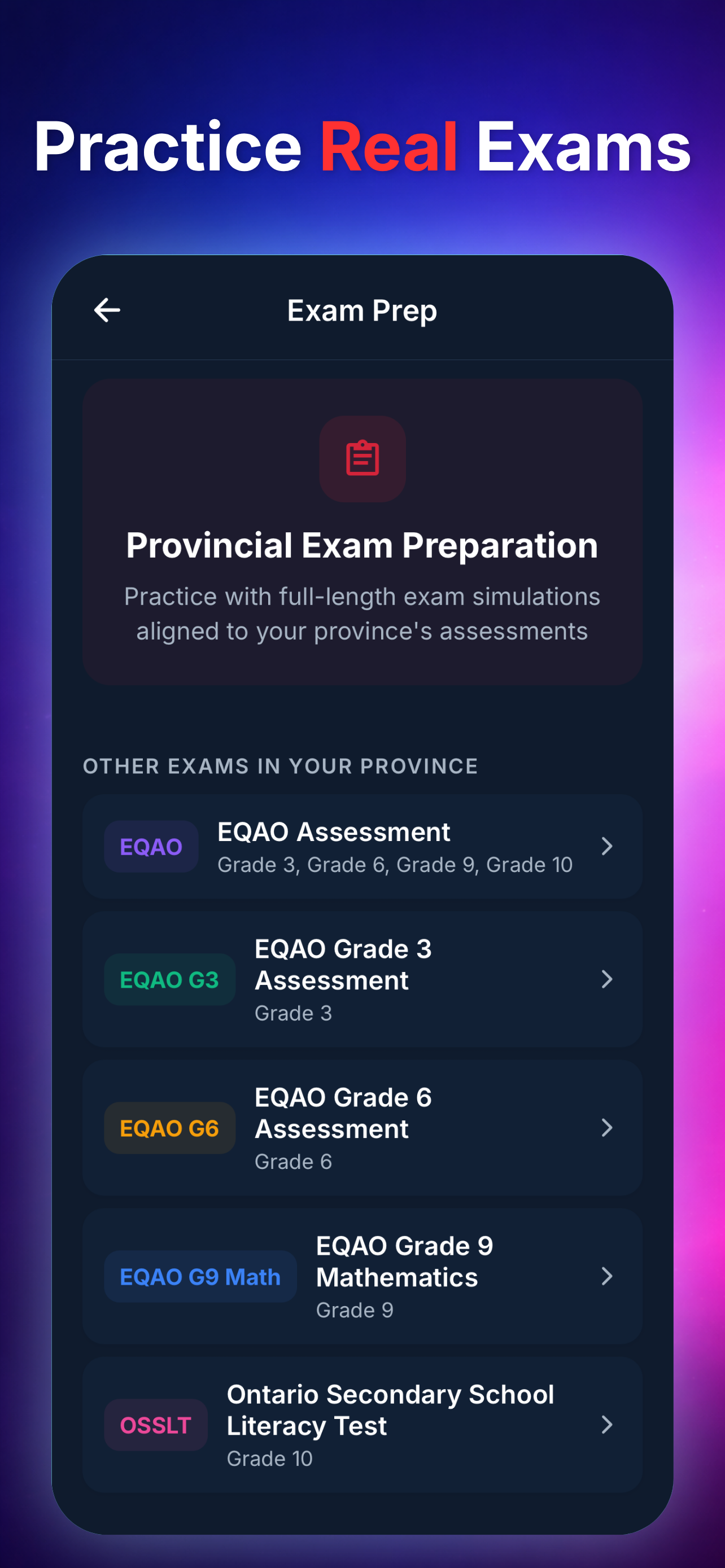
It also includes real provincial exam practice for EQAO, OSSLT, BC FSA, and Alberta PAT, in the actual test format — so prep matches what students will sit.
MapleMind's tutor isn't a chatbot with a friendly tone bolted on. The way it explains is built around how students actually learn.
"I do, we do, you do." The tutor models a step, works one with the student, then hands the next one over — building independence, not reliance.
Quick checks and adaptive questions pull concepts back out of memory — the part of studying that actually makes it stick.
When a student is stuck, it nudges with a hint or a guiding question first — productive struggle, instead of jumping to the solution.
It checks understanding as it goes and adapts the explanation if the first one didn't land — at the student's grade level, not a generic one.
Designed under Canadian privacy law, not retrofitted to it. Student data stays handled the way Canadian families and boards expect.
Students under 13 require verified parental consent before they can use AI features — so younger learners are protected by default.
We don't sell personal data and we don't run ads. Parents can export or delete their child's data at any time.
A private tutor costs $20–80 an hour, which quietly sorts students by what their family can afford. MapleMind's free plan gives every student daily, curriculum-aligned help — so the kid who can't book a tutor still gets one in their pocket.
If you teach somewhere that would feel that difference, that's exactly who we built this for.
You're in the classroom every day, so you'll catch things we can't. If something's wrong, missing, or could work better for your students, tell us — we read every note, and teacher feedback genuinely shapes what we fix and what we build next. Found a gap in how it teaches a topic, or a question that didn't match your curriculum? That's exactly what we want to hear, and we'll work with you on it.
Tell us a bit about your class and we'll set you up with free access and a quick walkthrough. We usually reply within a few days.
Not on their own. Guided Learning Mode is on by default, and switching to direct answers requires the account password or Face ID / Touch ID. A student can't quietly flip it to "just give me the answer," so it stays a learning tool in the classroom.
Students can use the free plan — 5 AI tutoring chats and 1 practice quiz every day — at no cost. We also run free classroom pilots for teachers who want fuller access for their class. Request one using the form above.
All 10 provinces, Grades 1–12, by course code — Ontario MTH1W, BC Math 10, Alberta 30-1, and more — including provincial exam prep for EQAO, OSSLT, BC FSA, and Alberta PAT.
MapleMind is built in Canada and PIPEDA-compliant. We don't sell personal data, students under 13 require verified parental consent before using AI features, and parents can request data export or deletion at any time.
No. MapleMind works on any phone with nothing for the school to install and no logins for you to manage. Point students to the app, keep Guided Mode on, and you're done.
Mathematics, Science, English, French, and Social Studies, Grades 1–12 — available in 14 languages, including English and French.