Get help with English Language Arts 8
Most tutoring makes you sit through material you already know. MapleMind flips that: pick the exact skill that's causing trouble — any of the 66 below — and the tutor teaches just that one, step by step, as many times as it takes. Ask questions in plain words, any time of day, in English, French, or 12 other languages.
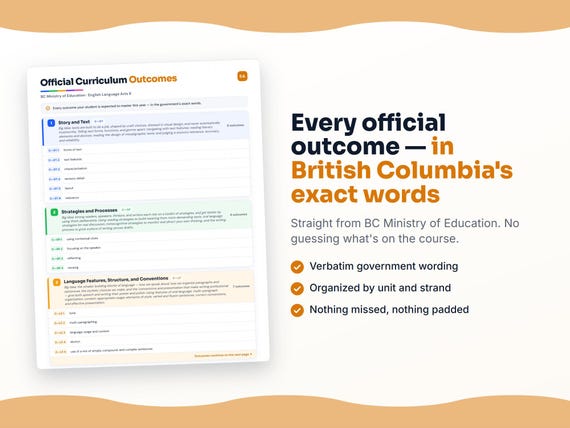
The official British Columbia English Language Arts 8 curriculum
British Columbia defines English Language Arts 8 by strands and outcomes. MapleMind teaches the same curriculum reorganized for one-skill-at-a-time tutoring — the table shows exactly where every official strand lands, and the ministry's own wording is quoted under each unit below.
Official source BC's official English language arts curriculumRead it on the government site — curriculum.gov.bc.ca ↗| Official strand | Outcomes | Where MapleMind teaches it |
|---|---|---|
| Content — Story and Text | 22 | Story and Text |
| Content — Strategies and Processes | 22 | Strategies and Processes |
| Content — Language Features, Structure, and Conventions | 22 | Language Features, Structure, and Conventions |
Every skill below, taught one on one.
 Try the first session free
How MapleMind teaches English Language Arts 8 — every unit, lesson, and skill
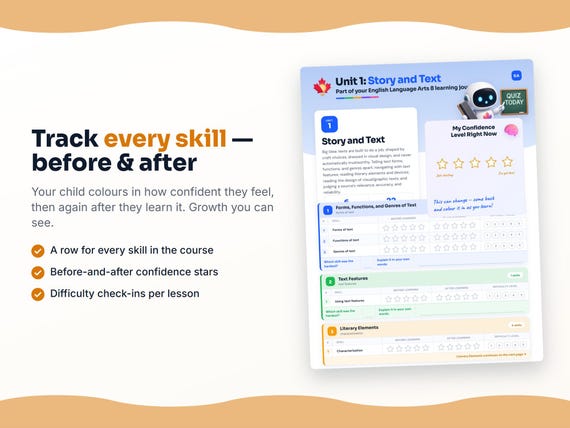
Every skill below runs as a short session: a plain-words lesson, a worked example, solving it together, then a five-question skill check that earns up to three stars. Guided Mode keeps it teaching instead of answer-handing — turning it off needs a parent's password.
Unit 1Story and TextOfficial strand · Content — Story and Text
Big Idea: texts are built to do a job, shaped by craft choices, dressed in visual design, and never automatically trustworthy. Telling text forms, functions, and genres apart; navigating with text features; reading literary elements and devices; reading the design of visual/graphic texts; and judging a source's relevance, accuracy, and reliability.
Forms, Functions, and Genres of Text
- Forms of text8.FFG.1 — Identify the form a text takes — an editorial, a graphic novel, a podcast script, a lab report — and notice how that form shapes its structure and conventions.
- Functions of text8.FFG.2 — Identify the function a text is built to do — inform, persuade, entertain, or instruct — by analyzing what it is actually trying to make the reader think, feel, or do.
- Genres of text8.FFG.3 — Name a text's genre — such as satire, dystopian fiction, memoir, or persuasive speech — from the conventions and patterns it uses.
Text Features
- Using text features8.TF.1 — Use text features — subheadings, sidebars, pull quotes, footnotes, an index — to navigate a longer or more complex text efficiently.
Literary Elements
- Characterization8.LE.1 — Analyze how an author builds a complex character — through action, dialogue, thought, and other characters' reactions — including how the character changes.
- Character types8.LE.2 — Identify a character's role in a story — protagonist, antagonist, foil, dynamic, or static — and explain why that role fits.
- Story structures8.LE.3 — Recognize different ways a story can be structured — linear, flashback, frame story, parallel plots — and explain how that structure shapes the story's effect.
- Setting8.LE.4 — Analyze how the time and place a story happens in shapes its mood, conflict, and characters' choices.
Literary Devices
- Sensory detail8.LD.1 — Analyze how an author's sensory details — sight, sound, smell, taste, touch — build atmosphere and pull a reader into a scene.
- Figurative language in a text8.LD.2 — Interpret figurative language — simile, metaphor, personification, hyperbole — in a text you're reading and explain the deeper meaning or effect it creates.
Elements of Visual/Graphic Texts
- Layout8.EVG.1 — Analyze how a page or screen's layout — where elements are placed, how much space they get — guides a viewer's attention and creates meaning.
- Infographics8.EVG.2 — Read an infographic by connecting its images, numbers, and short text to understand the information it's presenting at a glance.
- Emoticons8.EVG.3 — Explain how an emoticon adds tone or feeling to a short digital message that plain text alone might miss.
- Icons8.EVG.4 — Interpret an icon's meaning from its simple visual shape, and explain why icons need to be instantly recognizable.
- Symbols8.EVG.5 — Interpret what a symbol represents beyond its literal picture, and explain how a symbol carries shared meaning for a group of viewers.
- Interactive visuals8.EVG.6 — Explain how an interactive visual — a clickable chart, a slider, an embedded video — changes what a viewer can do compared to a static image.
- Hypertext8.EVG.7 — Explain how a hyperlink lets a reader branch off to related information, and how that changes reading from a straight line into a network of choices.
- Colour8.EVG.8 — Analyze how a designer's colour choices set a mood, signal a warning, or group related information in a visual text.
- Illustration styles8.EVG.9 — Compare different illustration styles — realistic, cartoon, minimalist — and explain how the style itself shapes a viewer's impression.
Relevance, Accuracy, Reliability
- Relevance8.RAR.1 — Judge whether a source actually relates to the question you're researching, instead of using it just because it turned up in a search.
- Accuracy8.RAR.2 — Check whether a source's facts are correct by comparing them against other trustworthy sources, rather than assuming they're true.
- Reliability8.RAR.3 — Judge whether a source can be trusted by checking who wrote it, why, and when, instead of trusting it just because it looks official.
The official wording — 22 outcomes in this unit
- 8.FFG.1
forms of text
- 8.FFG.2
functions of text
- 8.FFG.3
genres of text
- 8.TF.1
text features
- 8.LE.1
characterization
- 8.LE.2
character types
- 8.LE.3
story structures
- 8.LE.4
setting
- 8.LD.1
sensory detail
- 8.LD.2
figurative language
- 8.EVG.1
layout
- 8.EVG.2
infographics
- 8.EVG.3
emoticons
- 8.EVG.4
icons
- 8.EVG.5
symbols
- 8.EVG.6
interactive visuals
- 8.EVG.7
hypertext
- 8.EVG.8
colour
- 8.EVG.9
illustration styles
- 8.RAR.1
relevance
- 8.RAR.2
accuracy
- 8.RAR.3
reliability
Unit 2Strategies and ProcessesOfficial strand · Content — Strategies and Processes
Big Idea: strong readers, speakers, thinkers, and writers each rely on a toolkit of strategies, and get better by using them deliberately. Using reading strategies to build meaning from more demanding texts, oral language strategies for real discussion, metacognitive strategies to monitor and direct your own thinking, and the writing process to grow a piece of writing across drafts.
Reading Strategies
- Using contextual clues8.RS.1 — Use the surrounding words and sentences to work out the meaning of an unfamiliar or specialized word.
- Using phonics and word structure8.RS.2 — Break a long or technical word into its sound parts and word parts — prefixes, roots, suffixes — to read and understand it.
- Visualizing8.RS.3 — Build a detailed mental picture of a scene or process from a text's details, to understand it more deeply than the words alone.
- Questioning (reading)8.RS.4 — Ask probing questions before, during, and after reading — including questions about the author's choices — to guide and deepen your understanding.
- Predicting8.RS.5 — Use evidence from a text so far to make a reasoned prediction about what happens next, and revise it as new evidence appears.
- Previewing text8.RS.6 — Skim a text's title, structure, and visual features before reading closely, to set expectations and read more efficiently.
- Summarizing8.RS.7 — Condense a longer or more complex text down to its main idea and key supporting points in your own words.
- Making inferences8.RS.8 — Combine text evidence with background knowledge to work out something the author implies but never states directly.
Oral Language Strategies
- Focusing on the speaker8.OL.1 — Give full, active attention to a speaker's ideas in a discussion, instead of just waiting for a turn to talk.
- Asking questions to clarify8.OL.2 — Ask a targeted question when a speaker's point is unclear, so the discussion moves forward on shared understanding.
- Listening for specifics8.OL.3 — Listen for the exact details you need from a discussion or presentation, rather than only catching the general gist.
- Expressing opinions8.OL.4 — State your own opinion in a discussion clearly, with reasoning that could persuade someone who disagrees.
- Speaking with expression8.OL.5 — Use vocal expression deliberately when speaking to an audience, so tone and emphasis reinforce your message.
- Staying on topic8.OL.6 — Keep contributions to a group discussion focused on the actual topic, building on what others said instead of derailing it.
- Taking turns8.OL.7 — Manage turn-taking in a group discussion so it stays fair and productive, without one voice dominating.
Metacognitive Strategies
- Reflecting8.MC.1 — Look back on a piece of work or learning and analyze specifically what strategies helped and what you'd change next time.
- Questioning your own thinking8.MC.2 — Monitor your own understanding as you learn by asking yourself pointed questions, and act on the answer instead of pushing through confusion.
- Goal setting8.MC.3 — Set a specific, achievable goal for your own learning or writing and use it to plan concrete next steps.
- Self-evaluating8.MC.4 — Evaluate your own work honestly against a clear standard, identifying specific evidence for both strengths and gaps.
Writing Processes
- Revising8.WP.1 — Revise a draft's ideas, organization, and clarity across multiple passes, using feedback to guide the changes.
- Editing8.WP.2 — Edit a draft's grammar, punctuation, and spelling carefully after its ideas and organization are already solid.
- Considering audience8.WP.3 — Shape word choice, tone, and level of detail to fit a specific intended audience and purpose.
The official wording — 22 outcomes in this unit
- 8.RS.1
using contextual clues
- 8.RS.2
using phonics and word structure
- 8.RS.3
visualizing
- 8.RS.4
questioning
- 8.RS.5
predicting
- 8.RS.6
previewing text
- 8.RS.7
summarizing
- 8.RS.8
making inferences
- 8.OL.1
focusing on the speaker
- 8.OL.2
asking questions to clarify
- 8.OL.3
listening for specifics
- 8.OL.4
expressing opinions
- 8.OL.5
speaking with expression
- 8.OL.6
staying on topic
- 8.OL.7
taking turns
- 8.MC.1
reflecting
- 8.MC.2
questioning
- 8.MC.3
goal setting
- 8.MC.4
self-evaluating
- 8.WP.1
revising
- 8.WP.2
editing
- 8.WP.3
considering audience
Unit 3Language Features, Structure, and ConventionsOfficial strand · Content — Language Features, Structure, and Conventions
Big Idea: the smaller building blocks of language — how we speak aloud, how we organize paragraphs and sentences, the stylistic choices we make, and the conventions and presentation that make writing professional — give both speech and writing their power and polish. Using features of oral language, multi-paragraph organization, context-appropriate usage, elements of style, varied and fluent sentences, correct conventions, and effective presentation.
Features of Oral Language
- Tone (spoken)8.FOL.1 — Analyze how a speaker's tone of voice shapes how their words should actually be understood, including sarcasm and irony.
- Volume8.FOL.2 — Adjust and interpret volume deliberately in speech, matching how loud or soft a moment needs to be for its audience and purpose.
- Inflection8.FOL.3 — Analyze how a speaker's rising and falling pitch changes a sentence's meaning, beyond what the words alone say.
- Pace8.FOL.4 — Adjust speaking pace deliberately — slowing for emphasis, speeding up for urgency — to control how an audience receives a message.
- Gestures8.FOL.5 — Use gestures and body language deliberately to reinforce a spoken message, and read what another speaker's gestures add to theirs.
Multi-Paragraphing
- Multi-paragraphing8.MP.1 — Organize a piece of writing into multiple paragraphs, each with its own focused idea, that build together into one coherent whole.
Language Usage and Context
- Language usage and context8.LUC.1 — Adjust word choice and level of formality to suit the situation you're writing or speaking in, such as a text to a friend versus a school report.
Elements of Style
- Diction8.EST.1 — Choose precise, deliberate word choices in your own writing, and explain how a writer's word choice shapes a text's effect.
- Using figurative language in your writing8.EST.2 — Use figurative language — simile, metaphor, personification — deliberately in your own writing to create a specific effect.
- Tone (in writing)8.EST.3 — Establish and control a consistent tone in a piece of writing that matches its purpose and audience.
- Inclusive language8.EST.4 — Choose inclusive language that respects and doesn't stereotype or exclude any group of readers.
- Degree of formality8.EST.5 — Match a piece of writing's degree of formality to its purpose and audience, from casual to formal.
Syntax and Sentence Fluency
- Mixing simple, compound, and complex sentences8.SSF.1 — Combine simple, compound, and complex sentences deliberately in your writing to control rhythm and emphasis.
- Correct pronoun use8.SSF.2 — Use pronouns correctly so each one clearly matches its antecedent and there is no confusing ambiguity.
- Subject-verb agreement8.SSF.3 — Match a verb correctly to its subject in more complex sentences, even when several words separate them.
- Using transitional words8.SSF.4 — Use transitional words and phrases — however, therefore, meanwhile — to link ideas clearly between and within paragraphs.
- Spotting run-ons and fragments8.SSF.5 — Recognize and fix run-on sentences and sentence fragments in your own writing.
Conventions
- Punctuation8.CV.1 — Use a full range of punctuation correctly, including more advanced marks like semicolons and colons, so writing is clear.
- Capitalization8.CV.2 — Capitalize proper nouns and titles correctly and consistently across a longer piece of writing.
- Quoting8.CV.3 — Quote another source correctly — using quotation marks and accurate wording — when using someone else's words in your writing.
- Canadian spelling8.CV.4 — Spell words consistently using Canadian conventions (like "colour" and "centre") throughout a piece of writing.
Presentation Techniques
- Presentation techniques8.PT.1 — Use presentation techniques — visual aids, eye contact, pacing, confident delivery — to communicate effectively to an audience.
The official wording — 22 outcomes in this unit
- 8.FOL.1
tone
- 8.FOL.2
volume
- 8.FOL.3
inflection
- 8.FOL.4
pace
- 8.FOL.5
gestures
- 8.MP.1
multi-paragraphing
- 8.LUC.1
language usage and context
- 8.EST.1
diction
- 8.EST.2
figurative language
- 8.EST.3
tone
- 8.EST.4
inclusive language
- 8.EST.5
degree of formality
- 8.SSF.1
use of a mix of simple, compound, and complex sentences
- 8.SSF.2
correct pronoun use
- 8.SSF.3
subject-verb agreement
- 8.SSF.4
use of transitional words
- 8.SSF.5
awareness of run-on sentences and sentence fragments
- 8.CV.1
punctuation
- 8.CV.2
capitalization
- 8.CV.3
quoting
- 8.CV.4
Canadian spelling
- 8.PT.1
presentation techniques
Printable workbook · A keepsake of the year
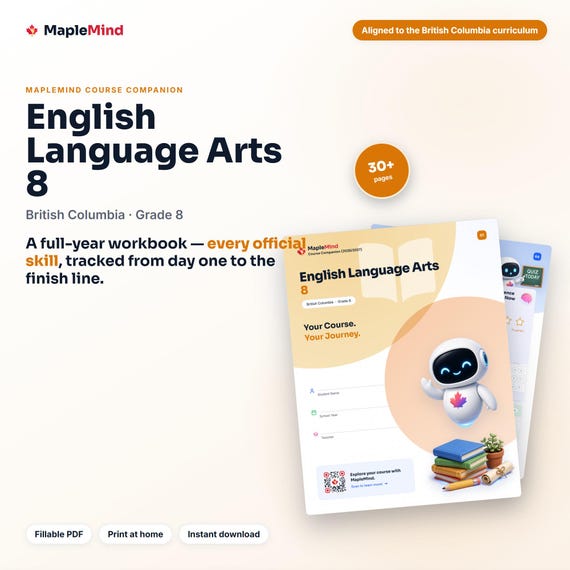
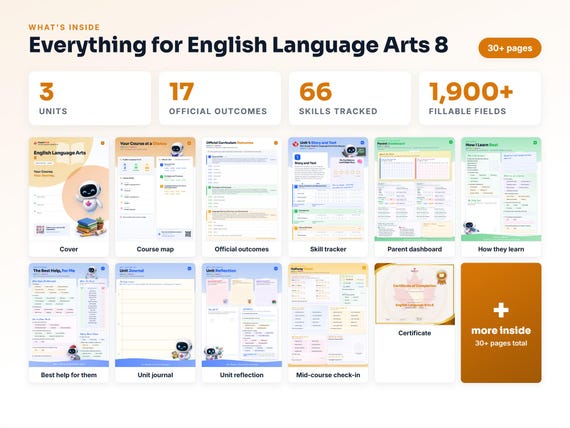
A English Language Arts 8 workbook worth keeping
Built from the same official curriculum as this page. Before and after each skill above, your student colours in how sure they feel — so the two of you can see, on one page, what's clicking and what needs another look. It's a quiet way to follow how the year is really going.
By June it's full of their own handwriting: units worked through, confidence grown, a mid-year check-in, notes from parent-teacher night, and a certificate at the end. Less a worksheet, more a record of the year worth keeping on the shelf.
Instant download · see every page, reviews and the full description · five or more workbooks are $2.99 each
What it looks like in the app
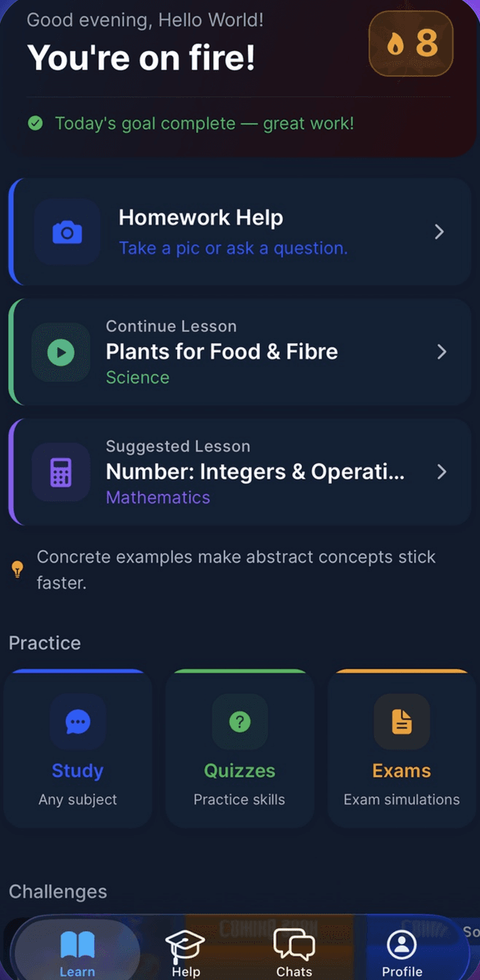
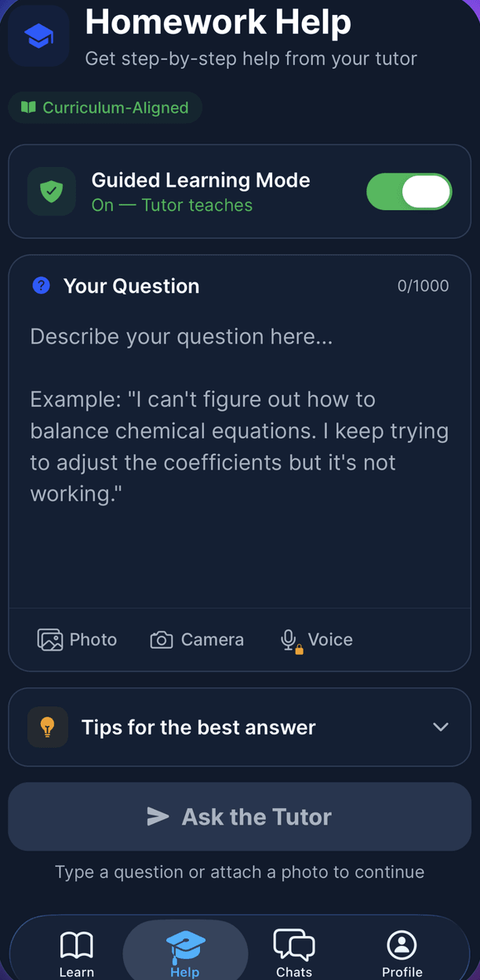
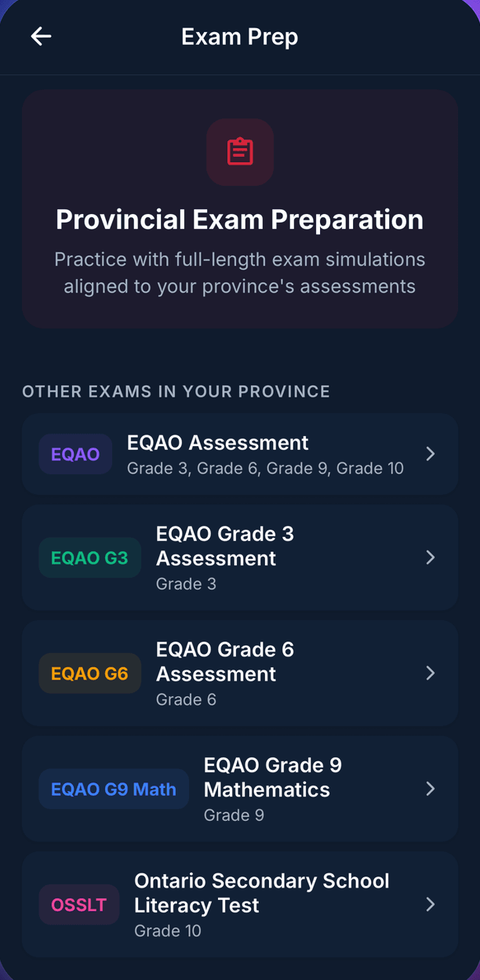
Common questions
Can MapleMind help me with English Language Arts 8?
Yes. MapleMind's AI tutor covers all 66 skills in British Columbia's English Language Arts 8 — you pick the exact skill, and the tutor teaches it step by step: a short lesson, a worked example, solving together, then a skill check to show it stuck.
Is MapleMind aligned to British Columbia's official curriculum?
Yes. Every skill in this course maps to an official outcome code from British Columbia's Grade 8 English Language Arts curriculum, and the ministry's own wording is quoted under each unit on this page — with the official government source linked so you can check it yourself.
What does MapleMind cost?
It's free to start — 5 tutoring chats and a practice quiz every day, no credit card. A Pro subscription ($9.99/month or $49.99/year CAD, 7-day free trial) unlocks unlimited tutoring, practice, and exam simulations.
What if I'm stuck on just one topic?
That's the point of skill-level tutoring: open English Language Arts 8 in the app, tap the exact skill from the list on this page, and the tutor teaches just that — no wading through lessons you don't need.
Does MapleMind work in French or other languages?
Yes — 14 languages, including French. Both the app and the tutor's explanations switch to the language you choose.
Where can I see the official British Columbia curriculum for English Language Arts 8?
The official source is linked on this page — BC's official English language arts curriculum. The outline here follows it: every MapleMind skill carries its official outcome code, and the ministry's own wording is quoted under each unit.
Keep exploring
Ready when you are
Pick a skill from this page and see it taught properly — free, in the browser, in under a minute.