Get help with English Language Arts 4
Most tutoring makes your child sit through material your child already knows. MapleMind flips that: pick the exact skill that's causing trouble — any of the 47 below — and the tutor teaches just that one, step by step, as many times as it takes. Ask questions in plain words, any time of day, in English, French, or 12 other languages.
The official British Columbia English Language Arts 4 curriculum
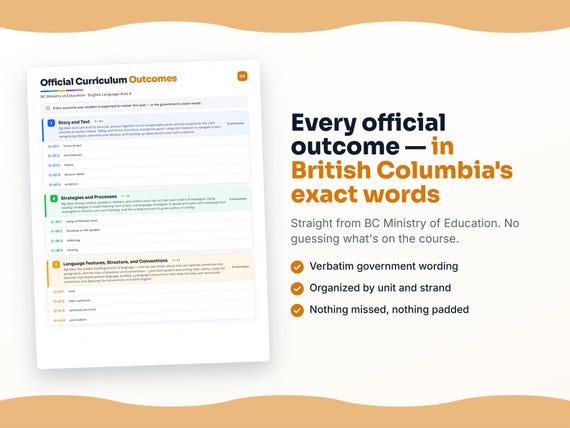
British Columbia defines English Language Arts 4 by strands and outcomes. MapleMind teaches the same curriculum reorganized for one-skill-at-a-time tutoring — the table shows exactly where every official strand lands, and the ministry's own wording is quoted under each unit below.
Official source BC's official English language arts curriculumRead it on the government site — curriculum.gov.bc.ca ↗| Official strand | Outcomes | Where MapleMind teaches it |
|---|---|---|
| Content — Story and Text | 13 | Story and Text |
| Content — Strategies and Processes | 22 | Strategies and Processes |
| Content — Language Features, Structure, and Conventions | 12 | Language Features, Structure, and Conventions |
Every skill below, taught one on one.
 Try the first session free
How MapleMind teaches English Language Arts 4 — every unit, lesson, and skill
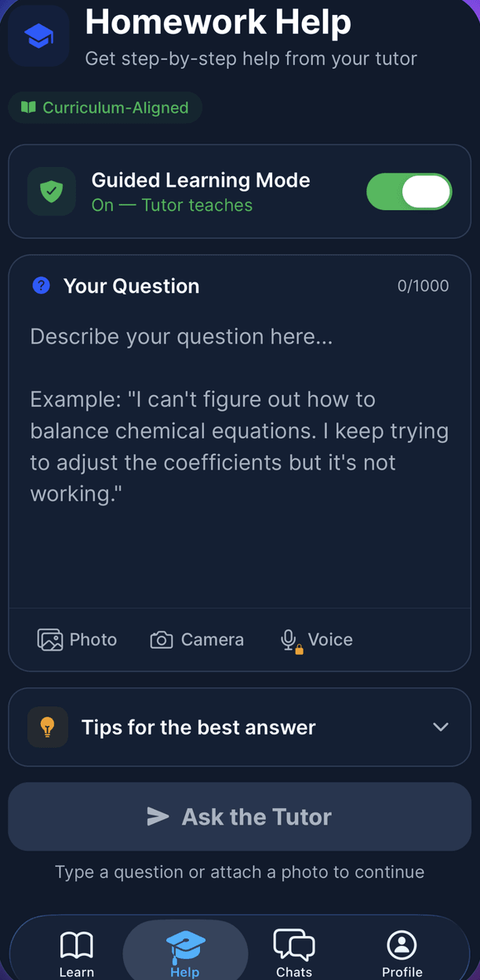
Every skill below runs as a short session: a plain-words lesson, a worked example, solving it together, then a five-question skill check that earns up to three stars. Guided Mode keeps it teaching instead of answer-handing — turning it off needs a parent's password.
Unit 1Story and TextOfficial strand · Content — Story and Text
Big Idea: texts are built to do a job, are put together out of recognizable parts, and are shaped by the craft choices an author makes. Telling text forms, functions, and genres apart; using text features to navigate a text; recognizing literary elements and devices; and backing up ideas about a text with evidence.
Forms, Functions, and Genres of Text
- Forms of text4.FFG.1 — Identify the form a text takes — a letter, an article, a story, an advertisement, a poem — and notice how form shapes the way a text looks and reads.
- Functions of text4.FFG.2 — Identify the function a text is built to do — inform, persuade, entertain, or instruct — by looking at what it is trying to make the reader think, feel, or do.
- Genres of text4.FFG.3 — Name a text's genre — such as mystery, biography, fantasy, or persuasive writing — from the features and patterns it shows.
Text Features
- Using text features4.TF.1 — Use text features — headings, captions, bold words, diagrams, a table of contents — to find information quickly and understand a text better.
Literary Elements
- Theme4.LE.1 — Identify the theme of a story — the big message or lesson about life that the story is really about, underneath the events.
- Character4.LE.2 — Describe a character using what they say, do, and think, and how other characters react to them.
- Setting4.LE.3 — Identify the setting of a story — the time and place it happens — and explain how it affects the events or mood.
- Plot4.LE.4 — Identify the plot of a story — the sequence of events from beginning to end — and retell it in order.
- Conflict4.LE.5 — Identify the conflict in a story — the main problem a character is facing — and explain what is at stake.
- Purpose4.LE.6 — Explain the purpose behind a story's events — why the author included a scene or detail and what it adds to the story.
Literary Devices
- Sensory detail4.LD.1 — Notice sensory details — words that let a reader see, hear, smell, taste, or feel a scene — and explain how they make writing more vivid.
- Figurative language4.LD.2 — Recognize figurative language — simile, metaphor, personification — and explain the effect it creates instead of taking it literally.
Evidence
- Using evidence4.EV.1 — Back up an idea about a text by pointing to specific words, details, or events in the text that support it.
The official wording — 13 outcomes in this unit
- 4.FFG.1
forms of text
- 4.FFG.2
functions of text
- 4.FFG.3
genres of text
- 4.TF.1
text features
- 4.LE.1
theme
- 4.LE.2
character
- 4.LE.3
setting
- 4.LE.4
plot
- 4.LE.5
conflict
- 4.LE.6
purpose
- 4.LD.1
sensory detail
- 4.LD.2
figurative language
- 4.EV.1
evidence
Unit 2Strategies and ProcessesOfficial strand · Content — Strategies and Processes
Big Idea: strong readers, speakers, thinkers, and writers each rely on their own toolkit of strategies. Using reading strategies to build meaning from a text, oral language strategies to speak and listen well, metacognitive strategies to monitor your own thinking, and the writing process to grow a piece of writing.
Reading Strategies
- Using contextual clues4.RS.1 — Use the words and sentences around an unfamiliar word to figure out what it probably means.
- Using phonics and word structure4.RS.2 — Break an unfamiliar word into sounds and parts — prefixes, roots, suffixes — to help read and understand it.
- Visualizing4.RS.3 — Build a picture in your mind of what is happening in a text, using the details the author gives, to understand it more deeply.
- Questioning (reading)4.RS.4 — Ask questions before, during, and after reading to guide your thinking and check your understanding of a text.
- Predicting4.RS.5 — Use clues from the title, cover, or story so far to make a reasonable guess about what happens next.
- Previewing text4.RS.6 — Skim a text's title, headings, and pictures before reading closely to get a sense of what it will be about.
- Summarizing4.RS.7 — Shrink a text down to its main idea and most important points in your own words, leaving out minor details.
- Making inferences4.RS.8 — Combine clues from the text with what you already know to figure out something the author doesn't say directly.
Oral Language Strategies
- Focusing on the speaker4.OL.1 — Give full attention to whoever is speaking — eyes on them, mind on their ideas — instead of thinking about something else or planning what to say next.
- Asking questions to clarify4.OL.2 — Ask a question when something a speaker said is unclear, so you understand their meaning instead of guessing.
- Listening for specifics4.OL.3 — Listen for particular details or information you need — like a date, a name, or an instruction — rather than only catching the general idea.
- Expressing opinions4.OL.4 — Share your own opinion clearly in a discussion, along with a reason that explains why you think that way.
- Speaking with expression4.OL.5 — Use your voice — tone, emphasis, feeling — to bring your spoken words to life instead of speaking in a flat monotone.
- Staying on topic4.OL.6 — Keep your contributions in a discussion connected to what is actually being talked about, instead of drifting to something unrelated.
- Taking turns4.OL.7 — Wait for your turn to speak in a conversation or discussion, and let others finish their thought before you add yours.
Metacognitive Strategies
- Reflecting4.MC.1 — Look back on your own learning or work and think about what you did, what worked, and what you noticed about yourself as a learner.
- Questioning your own thinking4.MC.2 — Ask yourself questions like "does this make sense?" or "what am I confused about?" while you learn, to monitor your own understanding.
- Goal setting4.MC.3 — Set a clear, specific goal for your own learning or writing, and use it to guide what you work on next.
- Self-evaluating4.MC.4 — Judge your own work honestly against a goal or standard, noticing what you did well and what still needs work.
Writing Processes
- Revising4.WP.1 — Improve the ideas, details, and flow of a draft — adding, removing, or reordering parts — before worrying about spelling and grammar.
- Editing4.WP.2 — Fix the spelling, grammar, and punctuation in a draft so it is correct and easy to read.
- Considering audience4.WP.3 — Think about who will read a piece of writing and adjust word choice, tone, and detail so it fits that reader.
The official wording — 22 outcomes in this unit
- 4.RS.1
using contextual clues
- 4.RS.2
using phonics and word structure
- 4.RS.3
visualizing
- 4.RS.4
questioning
- 4.RS.5
predicting
- 4.RS.6
previewing text
- 4.RS.7
summarizing
- 4.RS.8
making inferences
- 4.OL.1
focusing on the speaker
- 4.OL.2
asking questions to clarify
- 4.OL.3
listening for specifics
- 4.OL.4
expressing opinions
- 4.OL.5
speaking with expression
- 4.OL.6
staying on topic
- 4.OL.7
taking turns
- 4.MC.1
reflecting
- 4.MC.2
questioning
- 4.MC.3
goal setting
- 4.MC.4
self-evaluating
- 4.WP.1
revising
- 4.WP.2
editing
- 4.WP.3
considering audience
Unit 3Language Features, Structure, and ConventionsOfficial strand · Content — Language Features, Structure, and Conventions
Big Idea: the smaller building blocks of language — how we say things aloud, how we organize sentences into paragraphs, and the rules of grammar and conventions — give both speech and writing their clarity. Using the features that shape spoken language, building a paragraph around one main idea, forming well-structured sentences, and applying the conventions of written English.
Features of Oral Language
- Tone4.FOL.1 — Notice how the tone of a speaker's voice — cheerful, serious, sarcastic — changes how their words should be understood.
- Volume4.FOL.2 — Notice how loud or soft a speaker is, and how volume affects whether a message feels urgent, calm, or important.
- Inflection4.FOL.3 — Notice how a speaker's pitch rises and falls — like at the end of a question — and how that inflection changes meaning.
- Pace4.FOL.4 — Notice how fast or slow a speaker talks, and how pace can show excitement, calm, or give a listener time to think.
- Gestures4.FOL.5 — Notice the hand movements, facial expressions, and body language a speaker uses to support and add meaning to their words.
Paragraph Structure
- Topic sentence4.PS.1 — Write a topic sentence that clearly states the one main idea a paragraph is going to be about.
- Supporting details4.PS.2 — Add details and examples to a paragraph that all back up its topic sentence, instead of straying to unrelated ideas.
Sentence Structure and Grammar
- Sentence structure4.GR.1 — Build complete sentences with a subject and a verb that express a full thought, and combine short choppy sentences into smoother ones.
- Parts of speech4.GR.2 — Identify the job a word is doing in a sentence — noun, verb, adjective, adverb — and use that to understand or fix a sentence.
- Past, present, and future tenses4.GR.3 — Use verb tense correctly to show whether something already happened, is happening now, or will happen later, and keep tense consistent within a piece of writing.
- Subject-verb agreement4.GR.4 — Match a verb correctly to its subject — singular subjects take singular verbs, plural subjects take plural verbs — even when other words come between them.
Conventions
- Punctuation4.CV.1 — Use punctuation — periods, commas, quotation marks, question marks — correctly so a piece of writing is clear and easy to read.
The official wording — 12 outcomes in this unit
- 4.FOL.1
tone
- 4.FOL.2
volume
- 4.FOL.3
inflection
- 4.FOL.4
pace
- 4.FOL.5
gestures
- 4.PS.1
topic sentence
- 4.PS.2
supporting details
- 4.GR.1
sentence structure
- 4.GR.2
parts of speech
- 4.GR.3
past, present, and future tenses
- 4.GR.4
subject-verb agreement
- 4.CV.1
punctuation

Printable workbook · A keepsake of the year
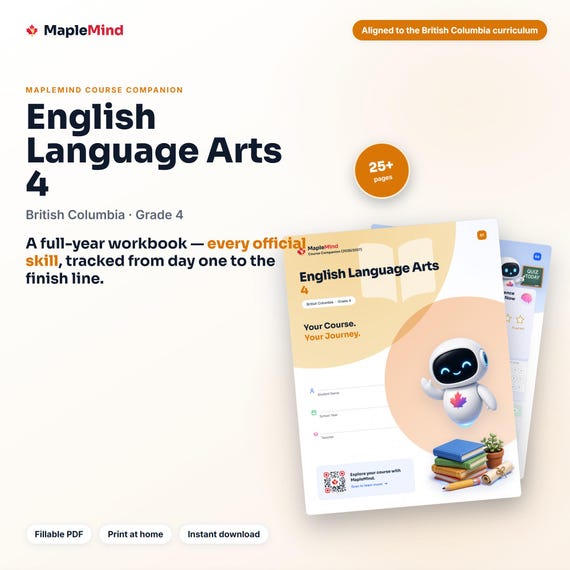
A English Language Arts 4 workbook worth keeping
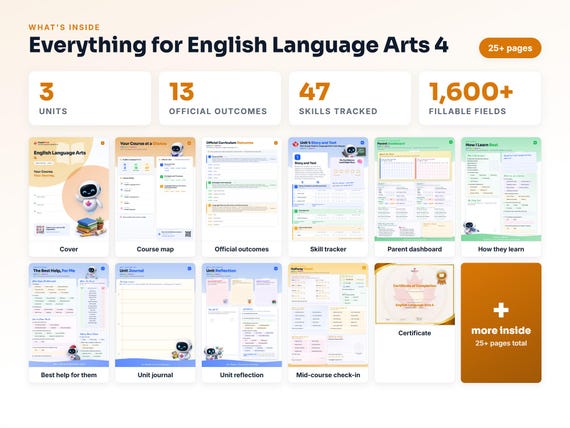
Built from the same official curriculum as this page. Before and after each skill above, your student colours in how sure they feel — so the two of you can see, on one page, what's clicking and what needs another look. It's a quiet way to follow how the year is really going.
By June it's full of their own handwriting: units worked through, confidence grown, a mid-year check-in, notes from parent-teacher night, and a certificate at the end. Less a worksheet, more a record of the year worth keeping on the shelf.
Instant download · see every page, reviews and the full description · five or more workbooks are $2.99 each
What it looks like in the app
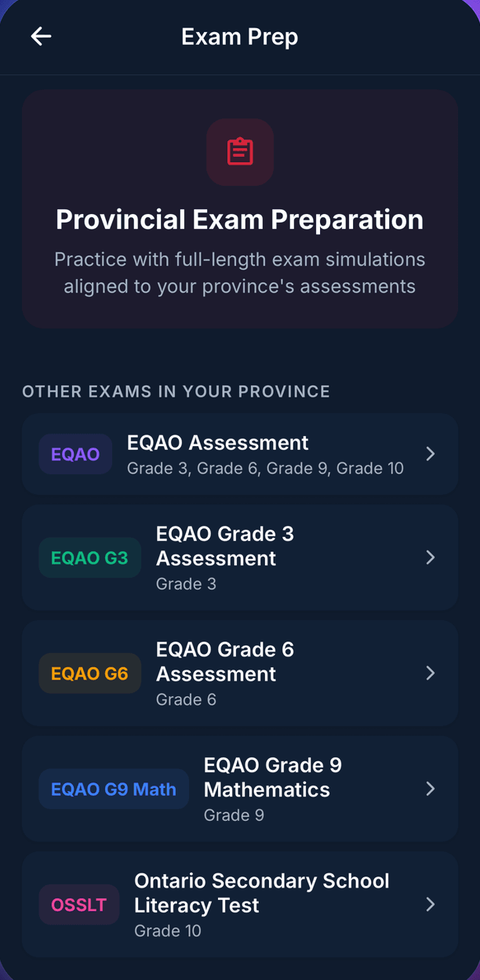
Preparing for the Grade 4 Foundation Skills Assessment (FSA)?
BC students write the Foundation Skills Assessment in Grade 4. MapleMind's practice mode builds familiar question formats from this course's skills.
Common questions
Can MapleMind help my child with English Language Arts 4?
Yes. MapleMind's AI tutor covers all 47 skills in British Columbia's English Language Arts 4 — your child picks the exact skill, and the tutor teaches it step by step: a short lesson, a worked example, solving together, then a skill check to show it stuck.
Is MapleMind aligned to British Columbia's official curriculum?
Yes. Every skill in this course maps to an official outcome code from British Columbia's Grade 4 English Language Arts curriculum, and the ministry's own wording is quoted under each unit on this page — with the official government source linked so you can check it yourself.
What does MapleMind cost?
It's free to start — 5 tutoring chats and a practice quiz every day, no credit card. A Pro subscription ($9.99/month or $49.99/year CAD, 7-day free trial) unlocks unlimited tutoring, practice, and exam simulations.
What if my child is stuck on just one topic?
That's the point of skill-level tutoring: open English Language Arts 4 in the app, tap the exact skill from the list on this page, and the tutor teaches just that — no wading through lessons your child doesn't need.
Does MapleMind work in French or other languages?
Yes — 14 languages, including French. Both the app and the tutor's explanations switch to the language your child chooses.
Where can I see the official British Columbia curriculum for English Language Arts 4?
The official source is linked on this page — BC's official English language arts curriculum. The outline here follows it: every MapleMind skill carries its official outcome code, and the ministry's own wording is quoted under each unit.
Does MapleMind help with the Grade 4 Foundation Skills Assessment (FSA)?
Yes. BC students write the Foundation Skills Assessment in Grade 4. MapleMind's practice mode builds familiar question formats from this course's skills.
Keep exploring
Ready when you are
Pick a skill from this page and see it taught properly — free, in the browser, in under a minute.